Skip to content
  • How it works
  • Product tour
  • Pricing
  • Log in
  • Get started
Oilfield ticketing done simple

From dispatch to signed ticket, every job accounted for.

RigTracer gives oilfield service companies one place to schedule work, send technicians into the field, capture the job record, and bring a complete ticket back to the office.

Get started →Walk through a ticket

Current customer? Log in to RigTracer

View
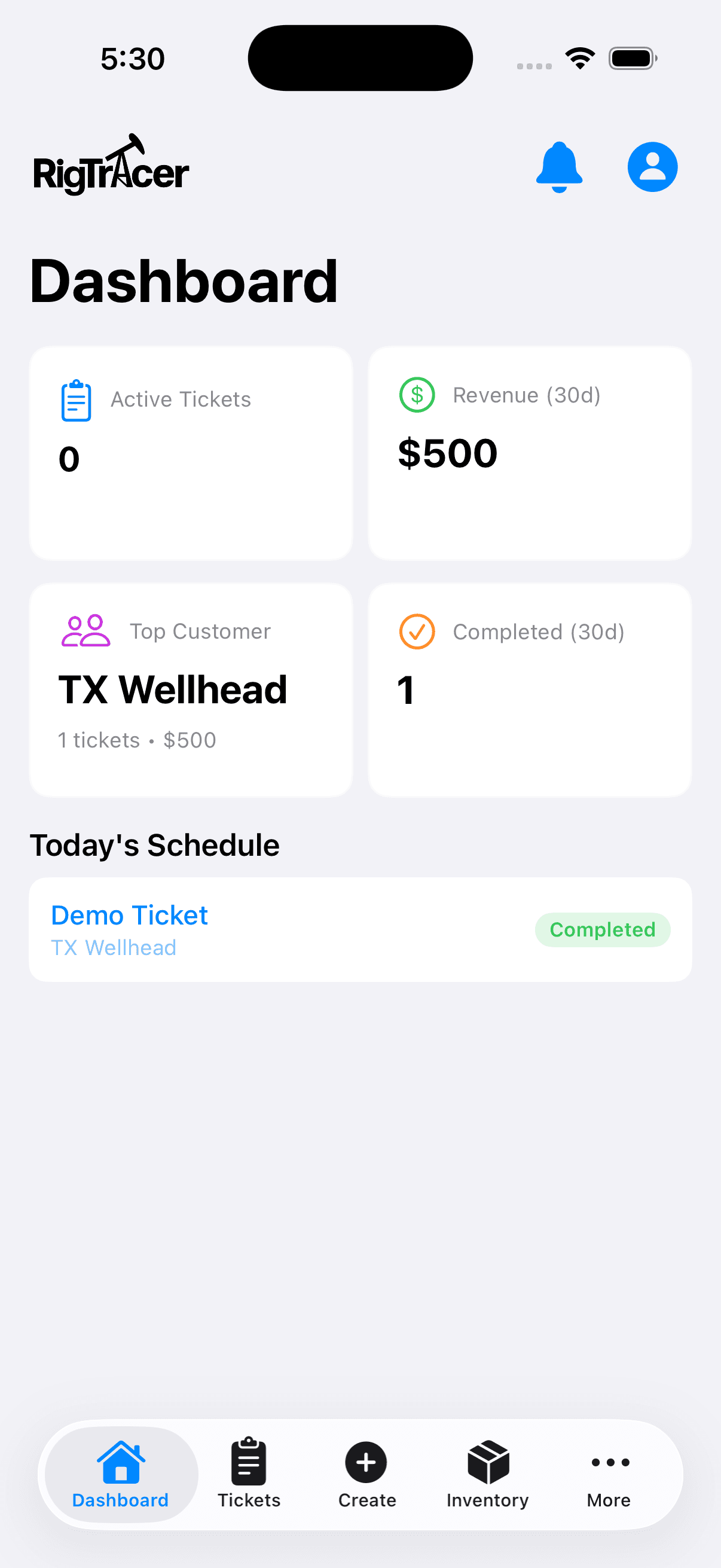
Mobile dashboard
Status
Work visible
RigTracer mobile app dashboard showing active tickets, completed work, and today's schedule
Mobile app captureWork queue
One connected job record

A clean handoff at every step.

The schedule, field details, sign-off, and completed ticket stay together instead of disappearing into texts, paper, and spreadsheets.

  1. 01

    Schedule or create

    Enter upcoming work in the scheduler, or create a field ticket when the job begins.

  2. 02

    Dispatch

    Assign the work to a technician so the office and field know who owns the next step.

  3. 03

    Document the work

    Record the rig or well, service details, work performed, and customer line items as the job happens.

  4. 04

    Review and sign

    Complete the ticket details and capture the customer sign-off required for the service record.

  5. 05

    Close and share

    Bring the record back for office review, completion, printing, and sharing.

02 / ROLES

Two sides of the operation. One record.

RigTracer keeps the office view and the well-site record connected without asking either team to work like the other.
In the office

Know where the work stands.

  • See scheduled and active work
  • Dispatch technicians
  • Manage customer pricing
  • Review, close, print, and share tickets
  • Check status without another phone call
At the well site

Build the record while the job is fresh.

  • Open assigned work on web or mobile
  • Record service and job details
  • Add line items and relevant equipment or materials
  • Complete the required sign-off
  • Send the record back for office review
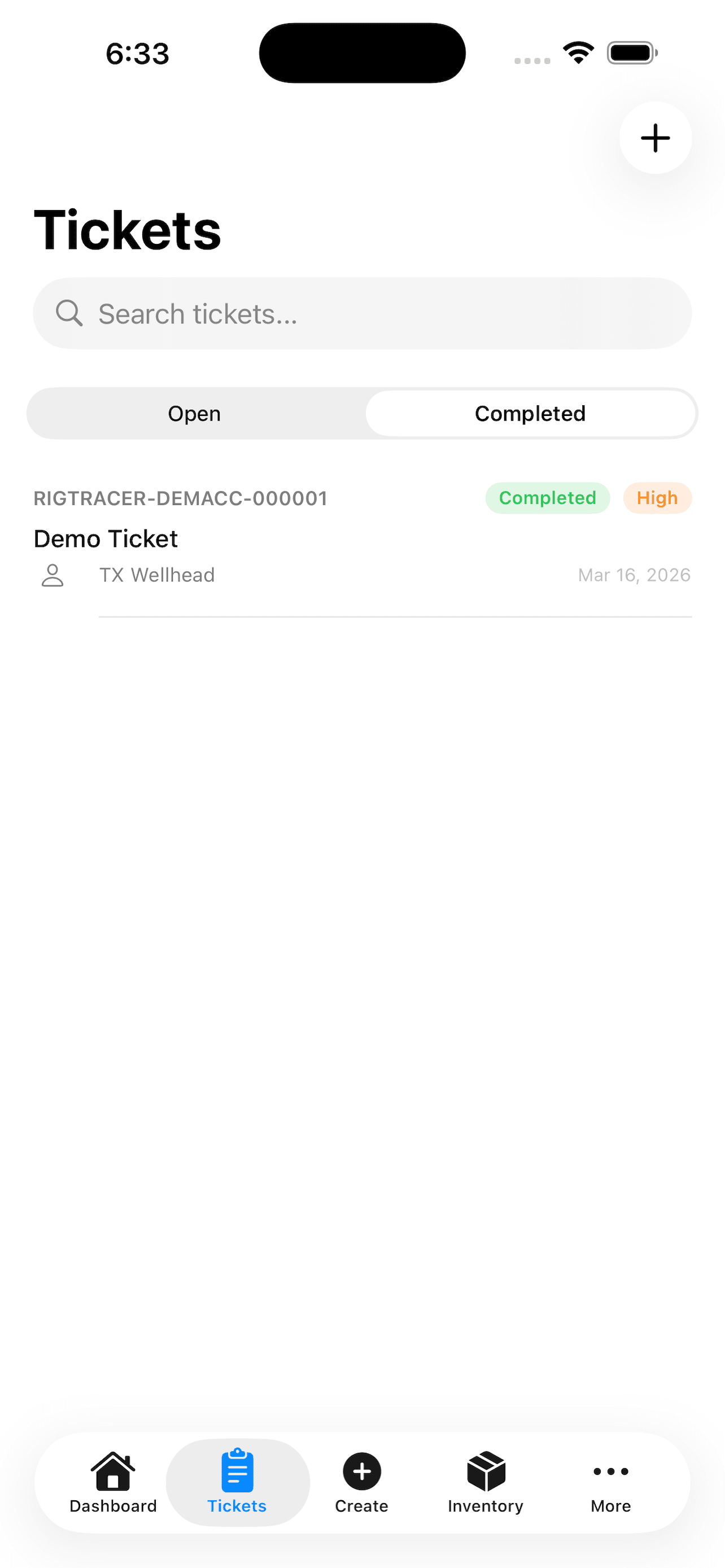
RigTracer completed ticket preview with service details organized for review
The ticket is the proof

Every detail belongs to the same job.

Instead of marketing a pile of disconnected features, RigTracer centers the record your customer and office actually need.

  1. Job identityCustomer, rig, well, location, and service.
  2. People and timeAssigned technician, crew, and job timestamps.
  3. Work performedService notes, customer pricing, and line items.
  4. CompletionSign-off and a printable, shareable service record.
See the product tour →
Optional modules

Extend the record when the operation calls for it.

Quotes and Inventory are separate from Professional. Talk with us about fit, current capabilities, and rollout.

Quotes

Optional add-on

Prepare customer work from established pricing and move accepted work toward the job record.

Inventory

Optional add-on

Track items and locations, then connect relevant equipment and materials to field work.

Discuss add-ons

Straightforward options

Professional or a customized Enterprise discussion.

MonthlyAnnualSave $1,300

Checking current pricing...

Professional

Standard offering
$650 / month

Billed monthly. Live pricing is confirmed when available.

  • Scheduling and dispatch workflow
  • Field service ticket records
  • Customer pricing and line items
  • Sign-off and printable records
  • Web access and the iOS app
Get started with Professional

Enterprise

Consultation-led
Let's talk

Tell us how your operation works. We'll discuss required customization, rollout, and commercial scope before proposing an approach.

  • Discuss your operating workflow
  • Identify required customization
  • Plan rollout with your organization
  • Define scope and pricing together
Discuss Enterprise

Quotes and Inventory are optional add-ons.

Current pricing and fit can be confirmed with our team. Talk to sales.

Common questions

What crews and offices need to know.

What is a RigTracer ticket?

It is the connected field-service record for a job: customer and site details, work performed, pricing and line items, completion information, and customer sign-off.

Who is RigTracer built for?

RigTracer is built for oilfield service companies that need a dependable handoff from scheduling and dispatch through field documentation and office review.

Can technicians use RigTracer from a phone?

Yes. Technicians can access field workflows from the available web experience and RigTracer's iOS app.

Does RigTracer work without a connection?

RigTracer currently requires a network connection. We would rather set that expectation clearly than promise an offline workflow that is not currently available.

What are the current offerings?

RigTracer offers Professional as the standard plan and Enterprise as a consultation-led option for organizations that need to discuss customization and rollout. Quotes and Inventory are optional add-ons.

How do I log in to an existing account?

Use the Log in link in the header or footer to go directly to the RigTracer application.

Bring the next job back as a complete ticket.

Get startedTalk to us

Oilfield field-service ticketing that keeps the schedule, job record, customer sign-off, and office review connected.

Product
  • How it works
  • Product tour
  • Pricing
  • iOS app
Account
  • Log in
  • Get started
  • Contact
Company
  • RigTracer LLC
  • Conroe, Texas
  • Privacy policy
  • Terms
© 2026 RigTracer LLC. All rights reserved.info@rigtracer.com